AI Builder & Assistant now supports voice input, allowing you to create workflows by simply speaking your requirements aloud or ask any query without the need to type.
What's New
- Voice-to-Workflow Creation – Click the mic icon and describe your workflow naturally. AI Builder transcribes your speech and generates the corresponding workflow instantly.
- Multi-Language Support – Dictate in any language. Voice recognition works across all supported languages, enabling you to speak in your preferred language.
- Streamlined Workflow Creation – Go from idea to workflow in seconds without manual typing or configuration.
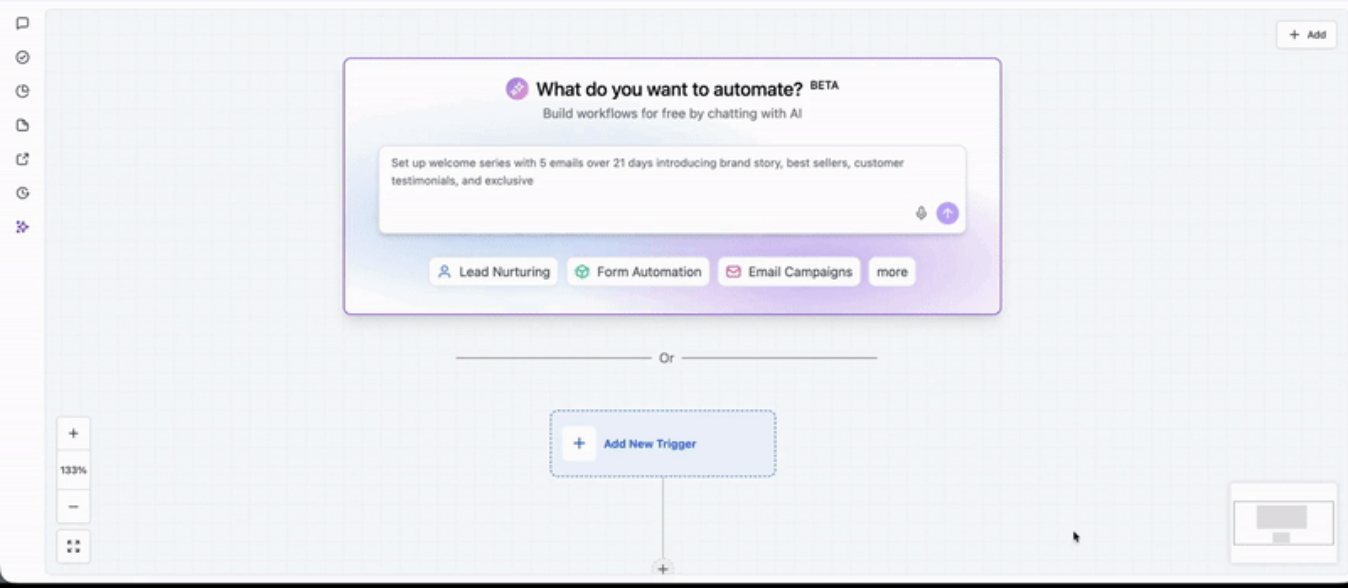
How to Use
- Go to workflow builder you will see the AI builder prompt box
- Click the mic icon
- Speak your workflow idea naturally
- AI Builder transcribes and generates your workflow
- Review, refine, and launch
works with AI assistant as well.
Was this article helpful?
That’s Great!
Thank you for your feedback
Sorry! We couldn't be helpful
Thank you for your feedback
Feedback sent
We appreciate your effort and will try to fix the article