Overview
We've improved how imported calendars affect availability in Rentals.
Many OTA platforms and external calendar providers sync availability as date-only bookings without specific start and end times. Previously, these events were blocked from 12:00 AM to 12:00 AM.
For rentals that use pre-defined rental times (for example, 3:00 PM rental start and 11:00 AM rental end), this could unintentionally block the listing on adjacent dates and make listings appear unavailable when they shouldn't be.
With this update, imported calendar bookings now respect your listing's booking period configuration and configured rental times, resulting in more accurate availability across your booking page and calendar views.
What's New?
Imported Dates Now Respect Your Rental Times
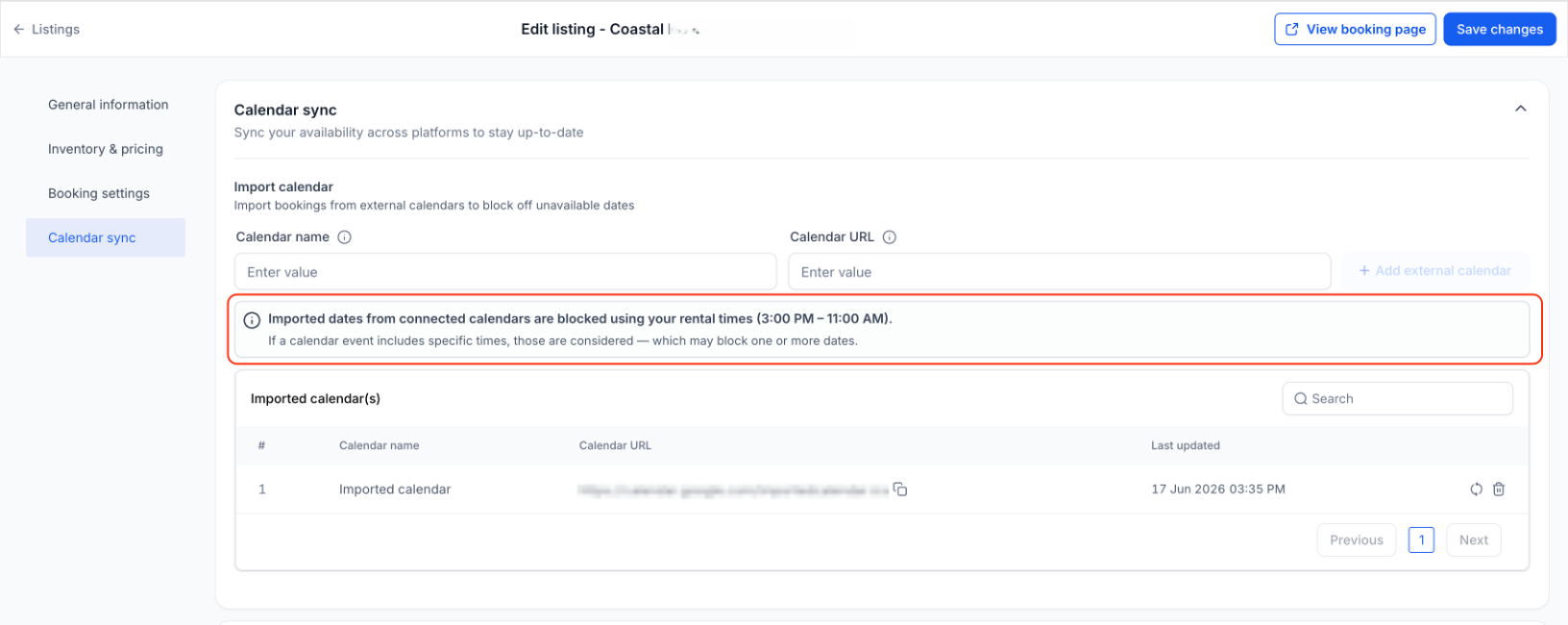
For applicable rental booking periods, imported calendar bookings without specific times are now blocked using your configured rental times or rental hours instead of generic midnight-to-midnight blocks.
This applies to the below booking periods:
Date Selector mode
Fixed Durations mode (Daily/Weekly/Monthly)
Example:
If your rental uses 3:00 PM – 11:00 AM rental times and an imported calendar blocks April 15 – April 17, Rentals will now block availability from April 15, 3:00 PM to April 17, 11:00 AM.
Previously, the same event would be interpreted as midnight-to-midnight blocking, which could unintentionally block the listing on neighboring dates.
Timestamped Bookings Use Exact Times
When imported calendar events include specific start and end times, those exact times are now respected.
This ensures shorter events, partial-day events, and overnight events block only the actual time range specified by the connected calendar.
For booking modes which allows customers to select time, imported events continue to block availability using their exact timestamps, and if the external calendar doesn't provide exact start and end times, the block will continue to be created for the whole day.
Future Imported Events Stay in Sync
When booking modes or rental times are updated, future and ongoing imported events are automatically recalculated using the latest configuration.
This helps ensure connected calendars continue to reflect your current rental setup without requiring manual intervention.
Past events remain unchanged.
How to Use
Edit a .
Connect an external calendar through Calendar Sync.
Configure your booking mode and rental times.
Imported bookings will automatically be blocked using the appropriate logic for that listing.
If you later update your booking mode or rental times, future imported events will automatically reflect the latest configuration.
Why This Matters
More accurate availability from connected calendars
Better compatibility with OTA platforms that sync date-only events
Prevents inventory from being unintentionally blocked on neighboring dates
Improves transparency around how synced calendars affect bookings
Was this article helpful?
That’s Great!
Thank you for your feedback
Sorry! We couldn't be helpful
Thank you for your feedback
Feedback sent
We appreciate your effort and will try to fix the article